قدّم على تأشيرة الدخول SEV بنفسكApply for your SEV entry visa yourself
بعد ما يطلع خطاب الـVAL حقك، تقدّم من موقع الهجرة الماليزية الرسمي. الدليل على 5 مراحل، وكل خطوة معها صورتها.Once your VAL is out, you apply on the official Malaysian Immigration site. The guide has 5 stages, and every step comes with its screenshot.
الرابط الرسمي:Official link: malaysiavisa.imi.gov.my
عندك طلب في رابط؟ اسأل من «طلباتي» في التطبيق.Have a Rabet application? Ask from “My applications” in the app.
المراحلStages
اضغط على أي صورة عشان تكبرTap any screenshot to enlarge itأنشئ حسابكCreate your account
المرحلة 1 من 5 · الخطوات 1 إلى 6Stage 1 of 5 · steps 1–6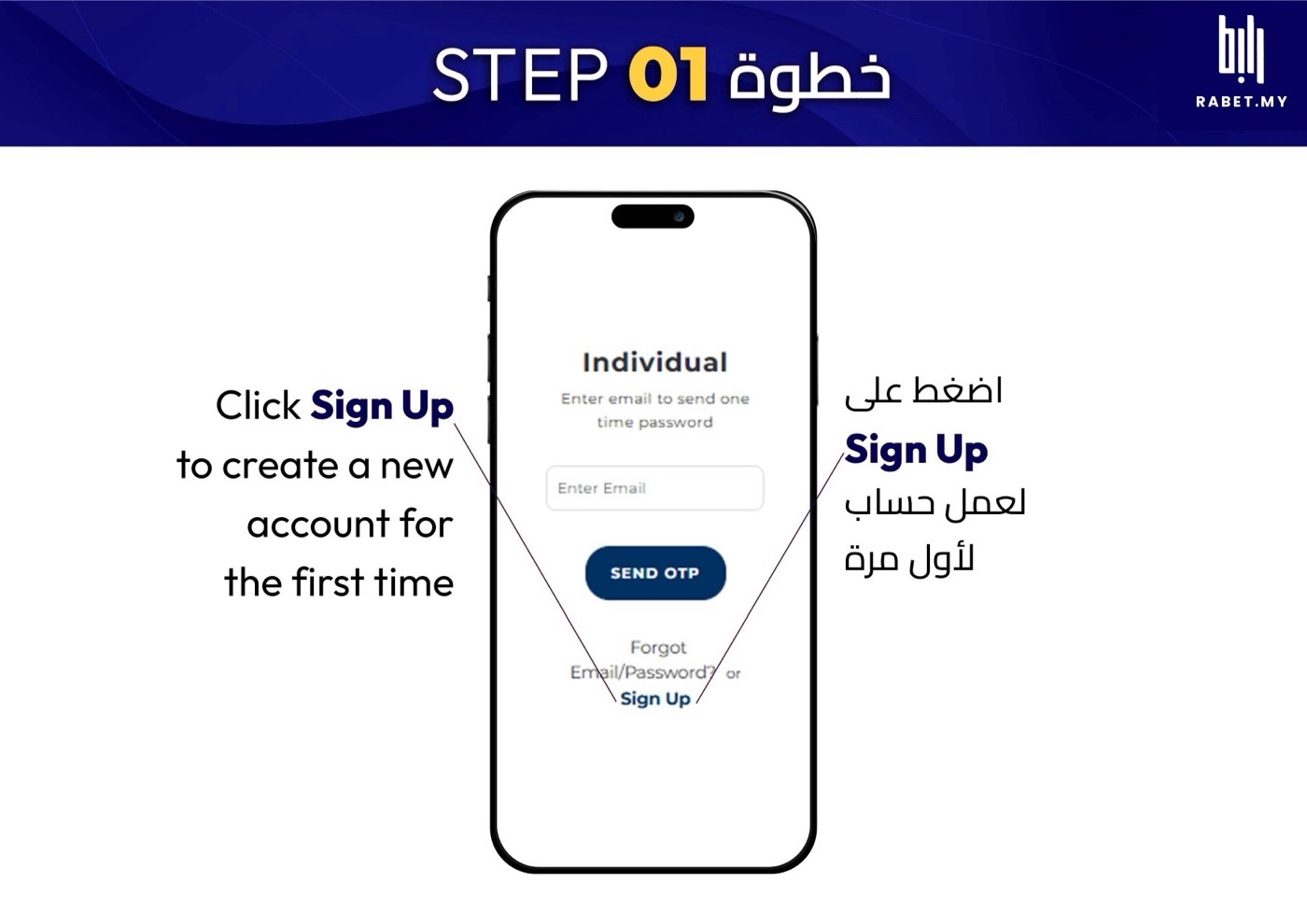
اضغط Sign Up وسوّ حساب جديد لأول مرة.Tap Sign Up to create a new account.
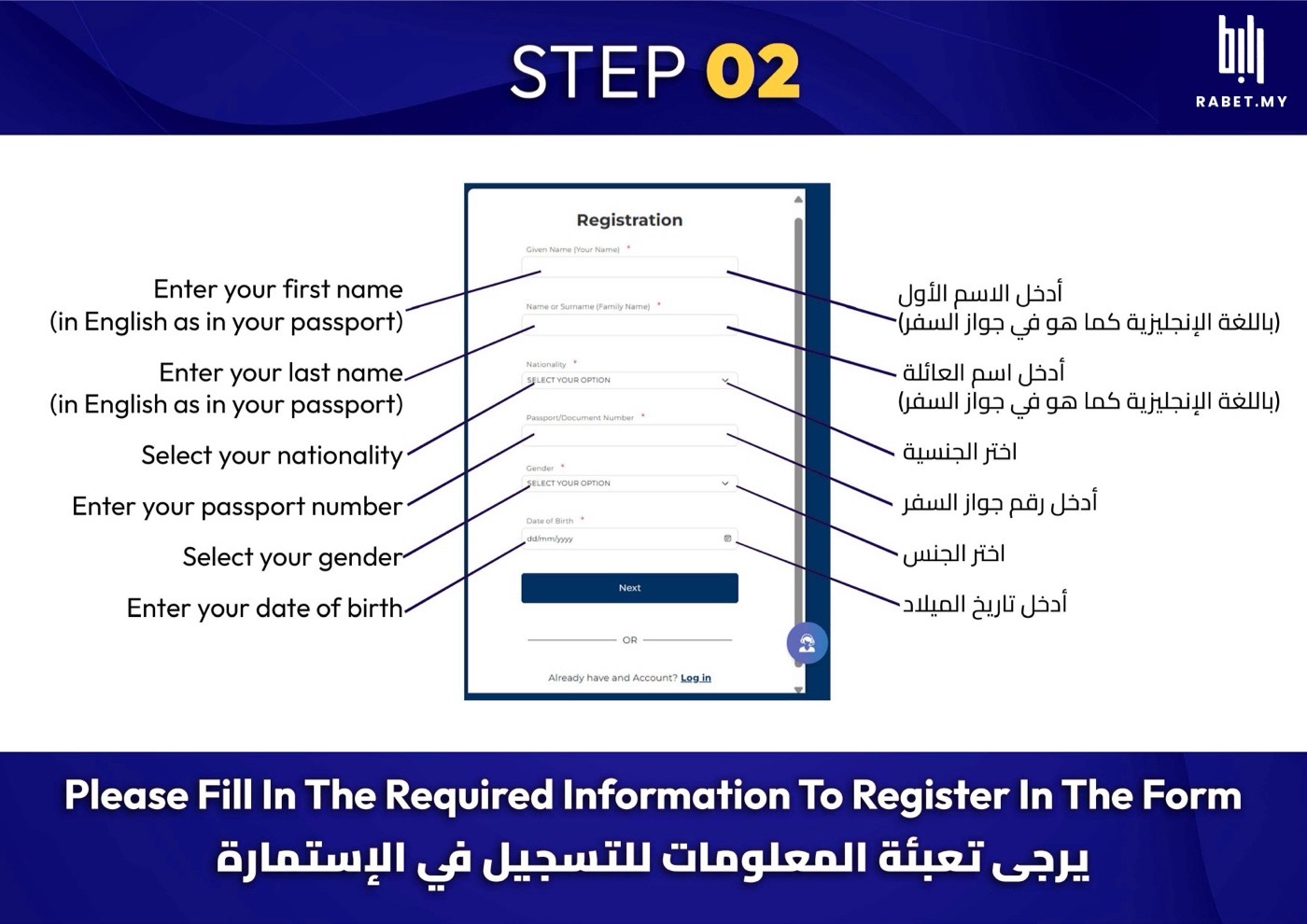
اكتب اسمك ورقم جوازك وتاريخ ميلادك بالإنجليزي، مثل ما هي في الجواز بالضبط.Enter your name, passport number and date of birth in English, exactly as in your passport.
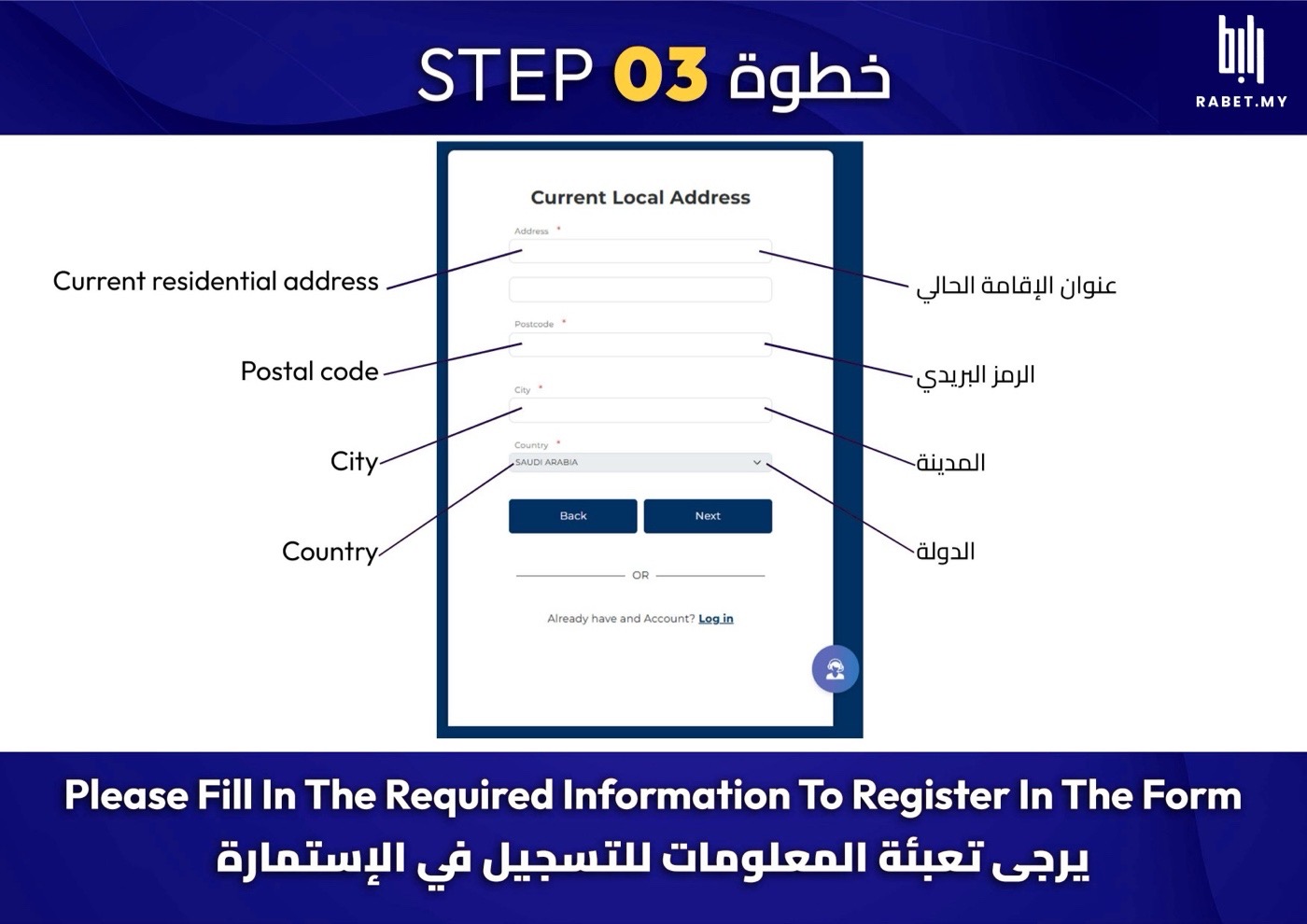
عبّي عنوانك الحالي: العنوان والرمز البريدي والمدينة والدولة.Fill in your current address: street, postcode, city and country.
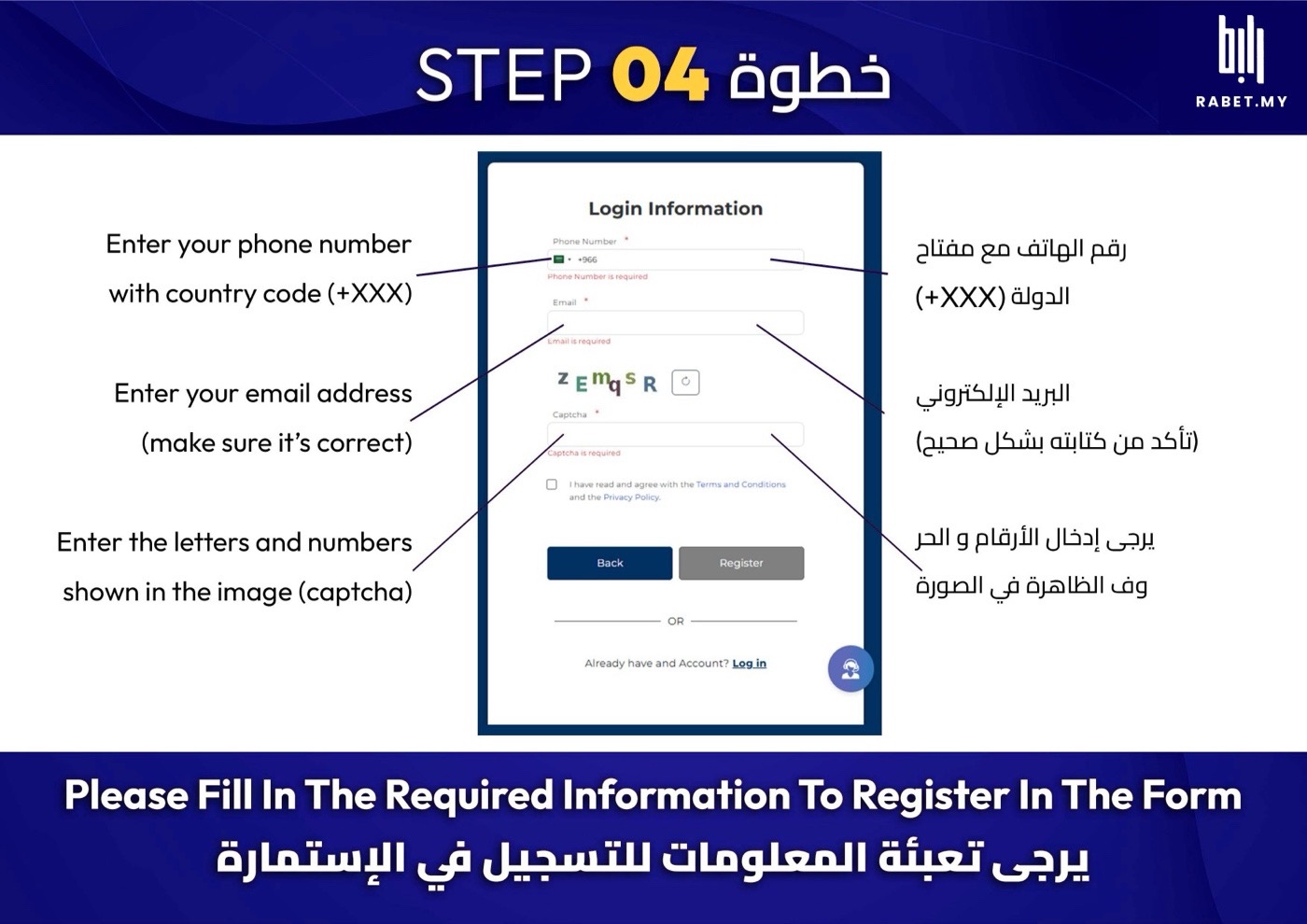
اكتب جوالك مع مفتاح الدولة، وإيميلك صح، وبعدها الحروف اللي في الصورة.Add your phone with the country code and your email (double-check it), then the letters in the image.
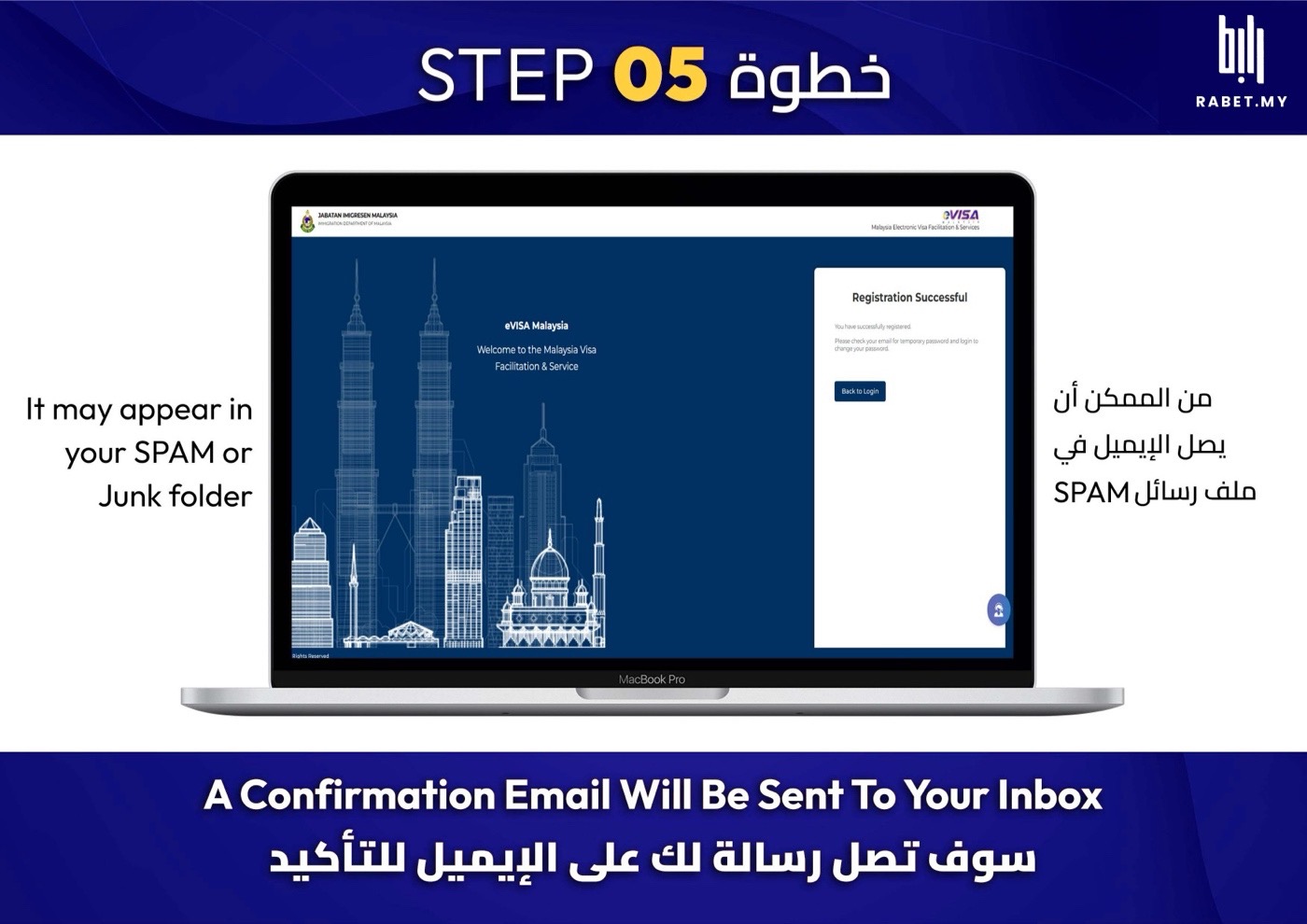
بيوصلك إيميل تأكيد، وإذا ما لقيته شيك ملف الـSPAM.A confirmation email is on its way. If you can’t find it, check your Spam folder.
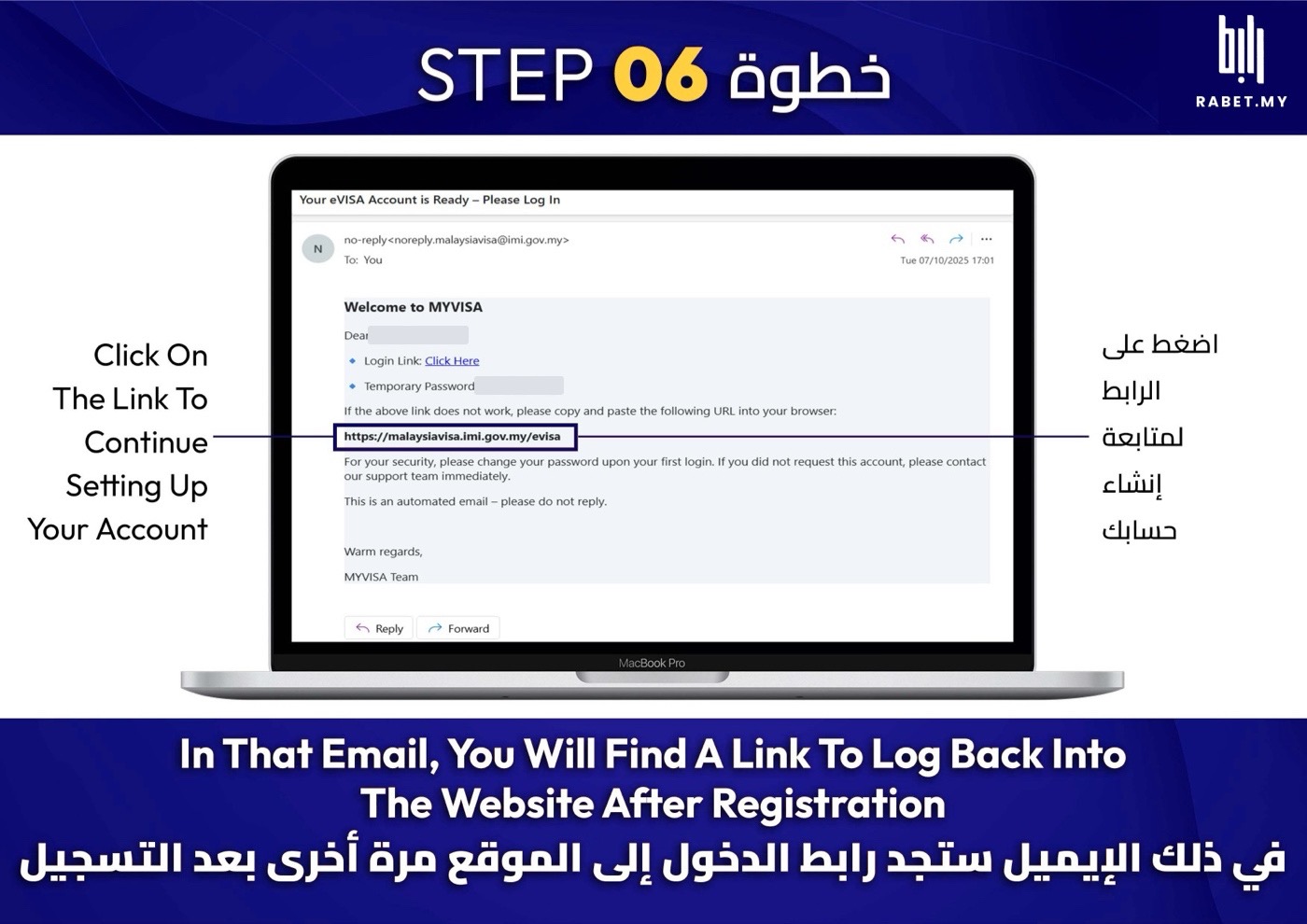
افتح الإيميل واضغط الرابط اللي فيه، وفيه بعد كلمة مرور مؤقتة بتحتاجها.Open the email and tap its link. It also has a temporary password you’ll need.
سجّل دخولك وغيّر كلمة المرورLog in and change your password
المرحلة 2 من 5 · الخطوات 7 إلى 9Stage 2 of 5 · steps 7–9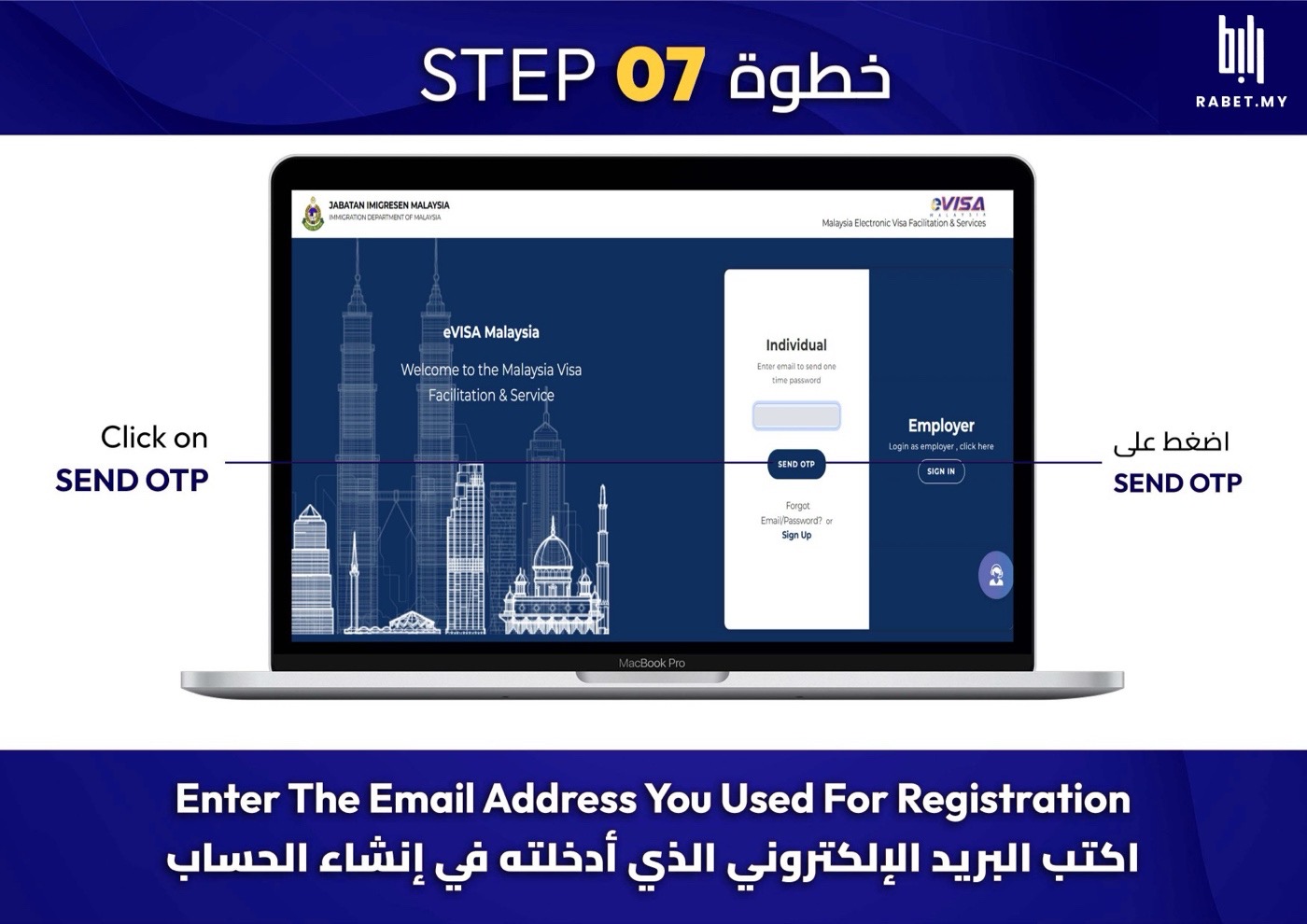
اكتب الإيميل اللي سجّلت فيه، واضغط SEND OTP.Enter the email you registered with and tap SEND OTP.
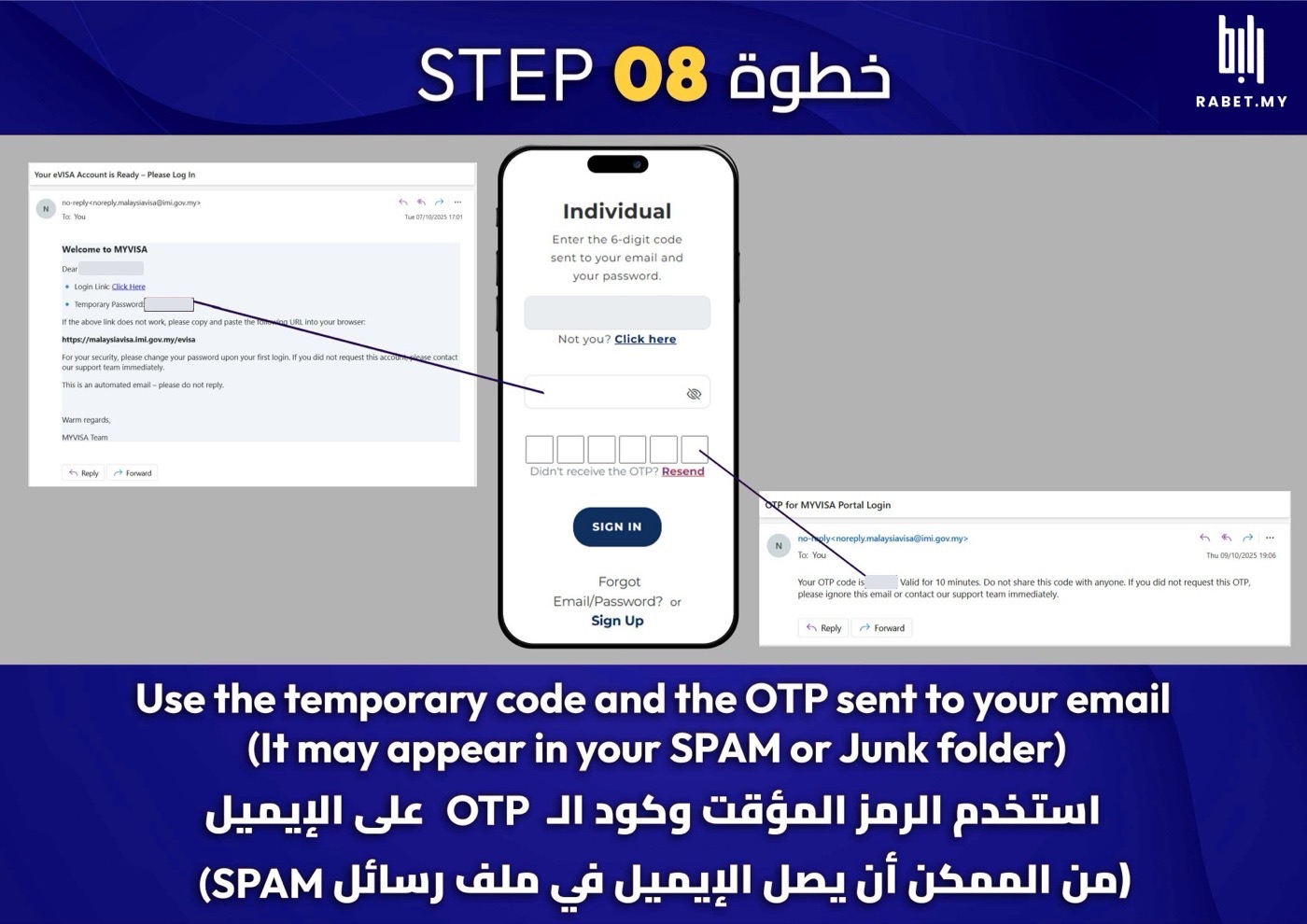
حط كلمة المرور المؤقتة، والكود (OTP) اللي وصلك على الإيميل.Enter the temporary password and the OTP code from your email.
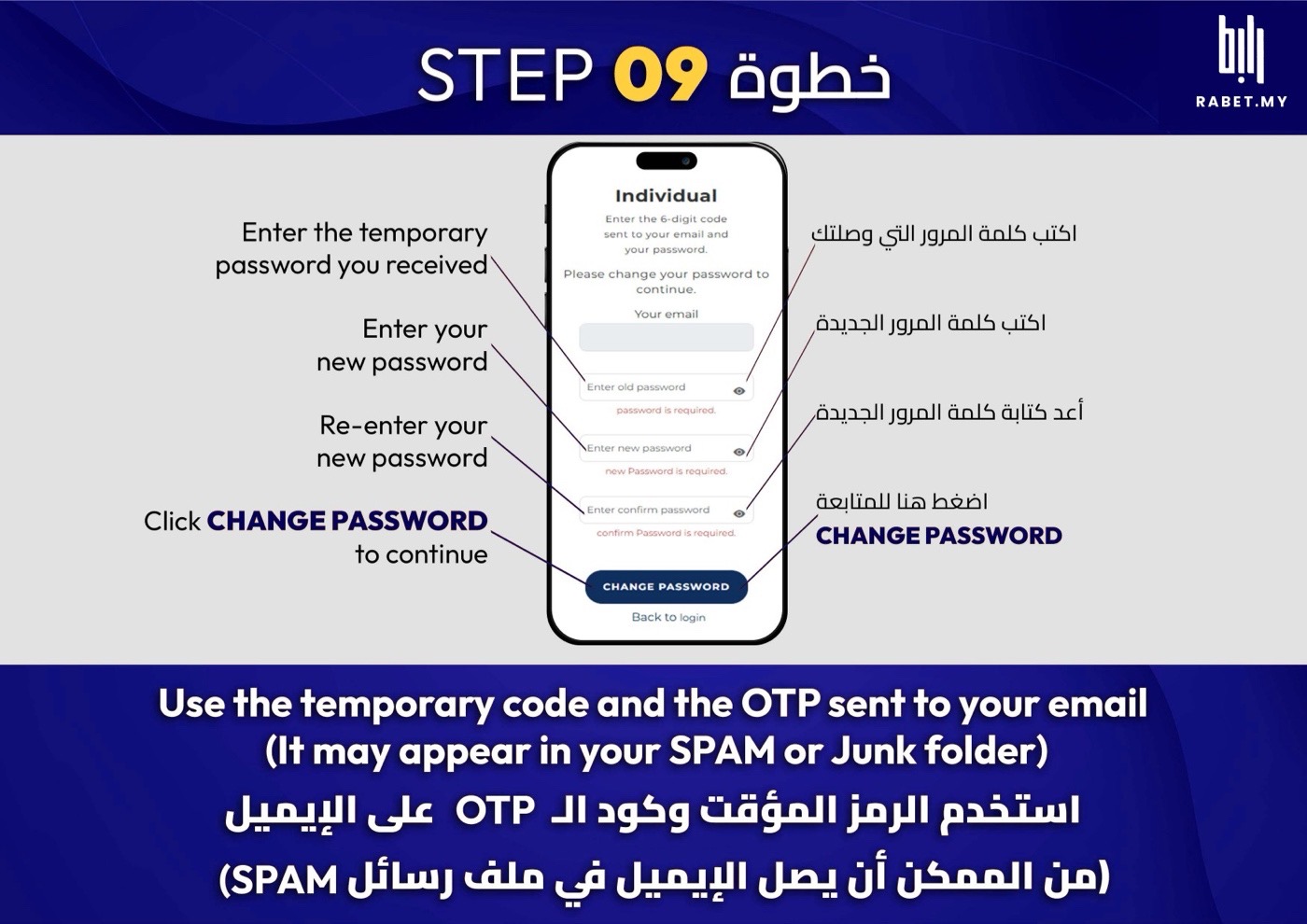
اكتب كلمة المرور المؤقتة، ثم الجديدة مرتين، واضغط CHANGE PASSWORD.Enter the temporary password, then your new one twice, and tap CHANGE PASSWORD.
ابدأ طلب جديدStart a new application
المرحلة 3 من 5 · الخطوات 10 إلى 13Stage 3 of 5 · steps 10–13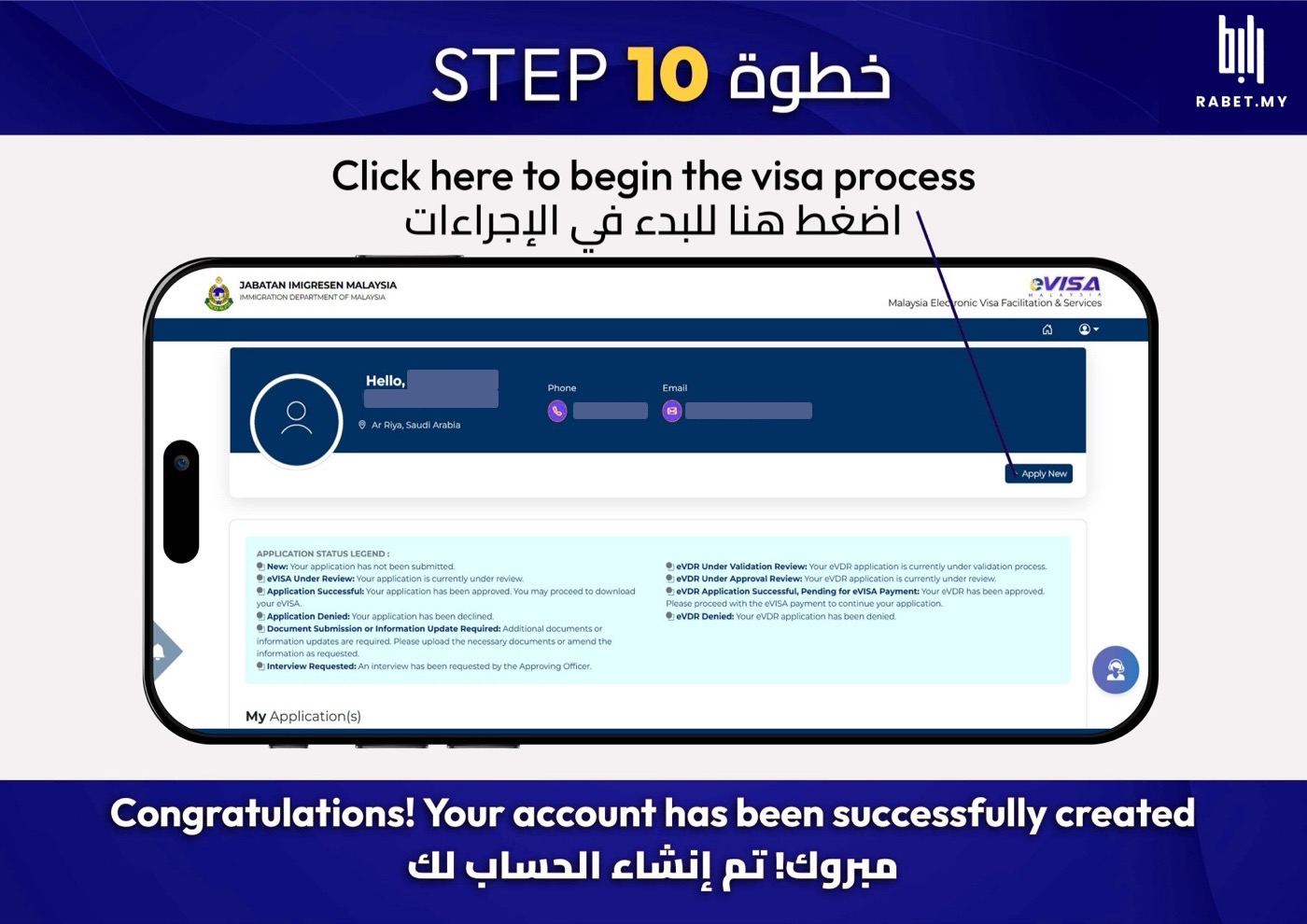
مبروك، حسابك جاهز. اضغط Apply New عشان تبدأ الطلب.Your account is ready. Tap Apply New to start.
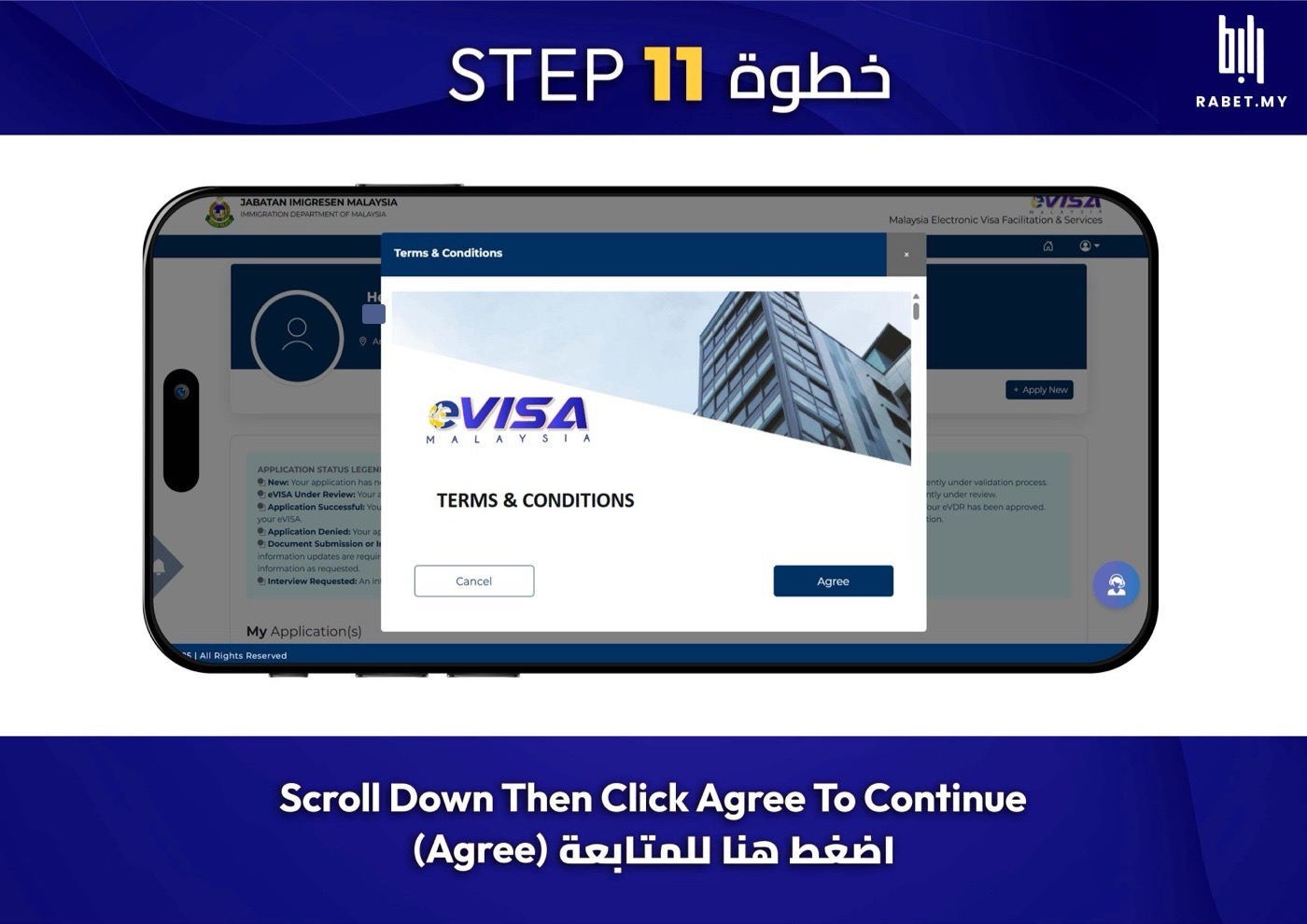
نزّل لآخر الشروط واضغط الزر الأزرق عشان تكمّل.Scroll to the end of the terms and tap the blue button to continue.
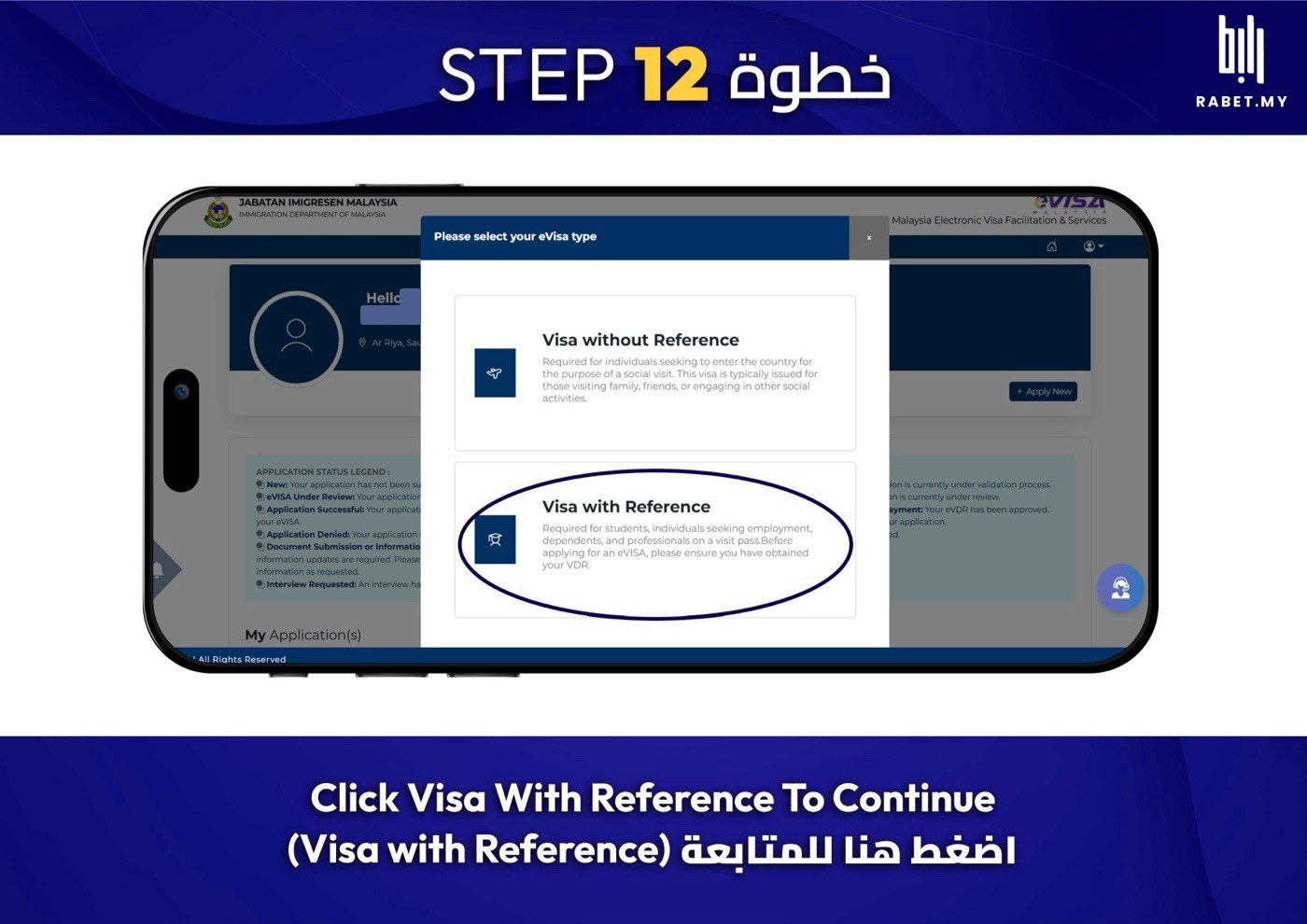
اختر Visa with Reference لأن معك خطاب VAL. لا تختار Visa without Reference.Choose Visa with Reference, since you have a VAL. Not “Visa without Reference”.
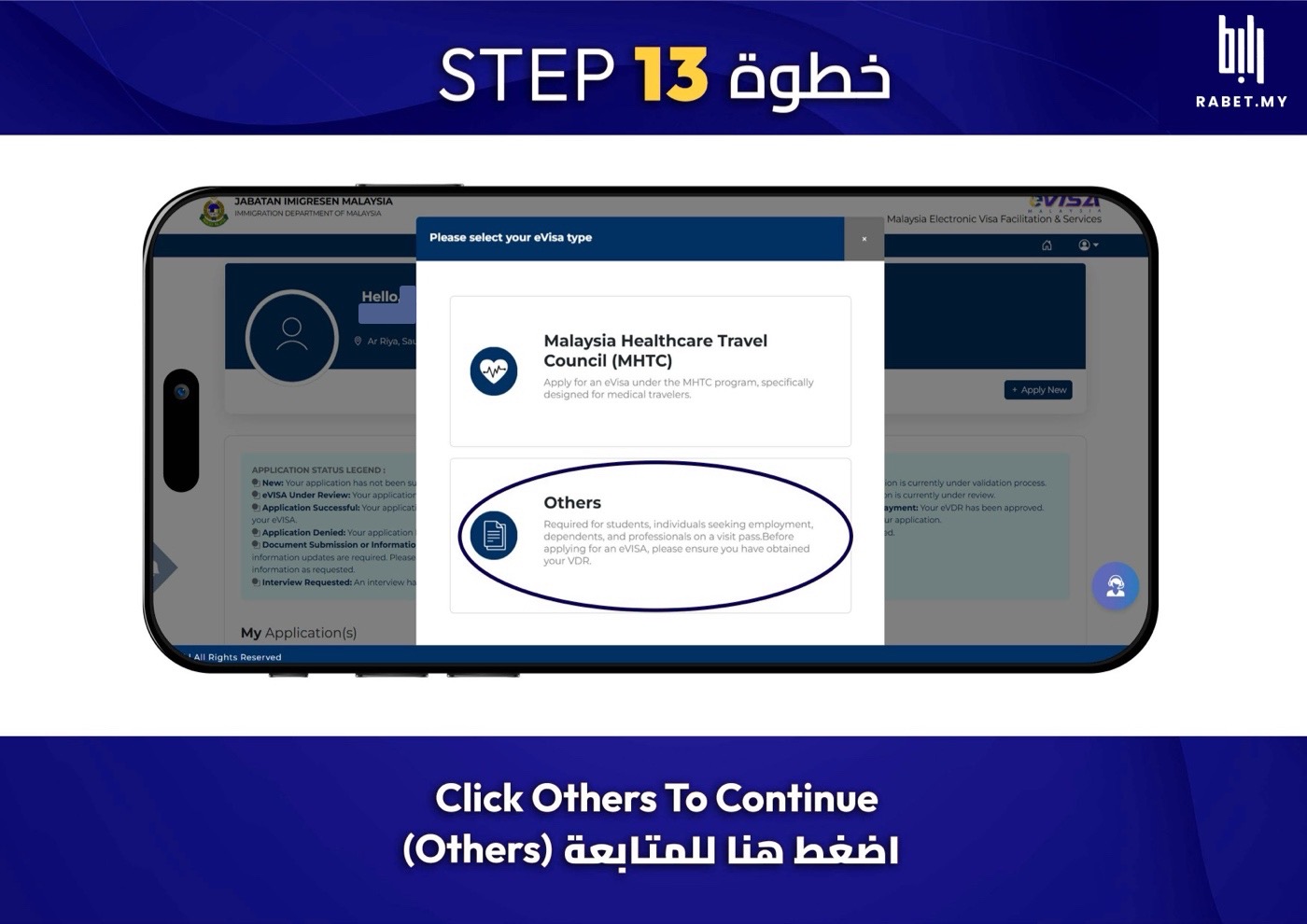
بعدها اختر Others.Then choose Others.
رقم VAL وجوازك والملفاتVAL number, passport and files
المرحلة 4 من 5 · الخطوات 14 إلى 17Stage 4 of 5 · steps 14–17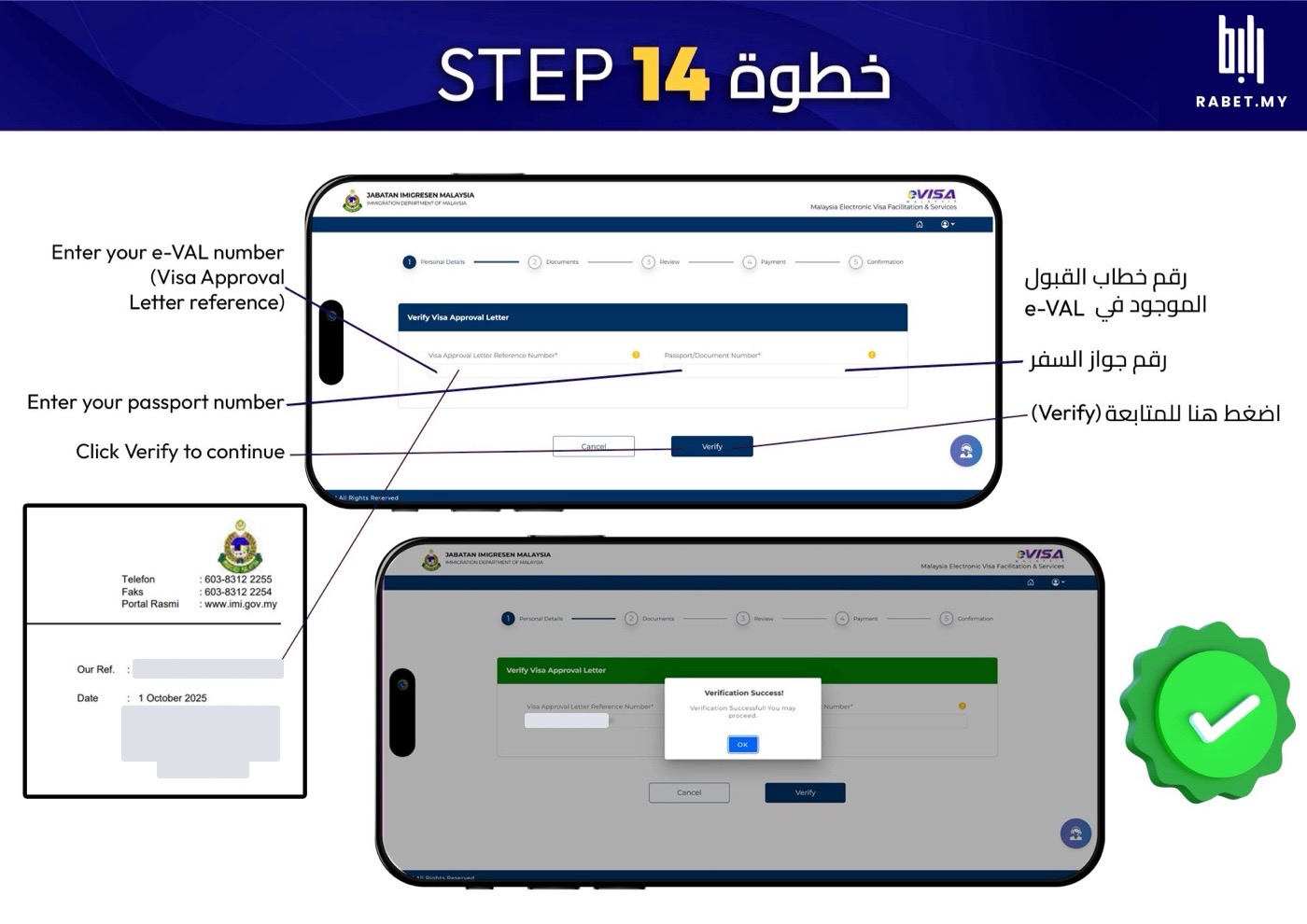
اكتب رقم الـVAL (مكتوب جنب Our Ref. في الخطاب) ورقم جوازك، واضغط Verify.Enter your VAL reference (next to “Our Ref.” on the letter) and your passport number, then tap Verify.
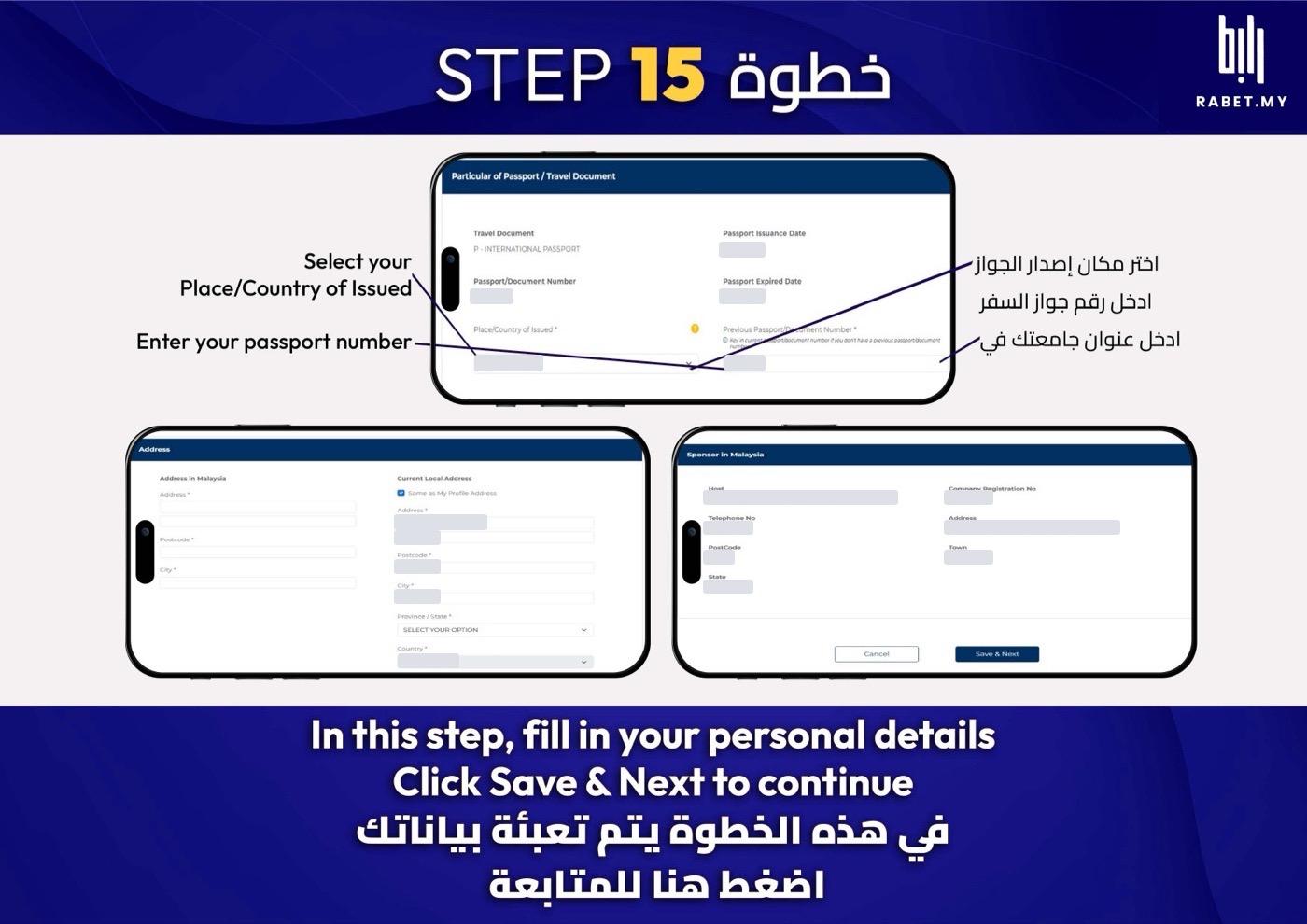
كمّل بيانات جوازك، وفي العنوان بماليزيا اكتب عنوان معهدك أو جامعتك، واضغط Save & Next.Complete your passport details. For the address in Malaysia, use your institute’s or university’s address. Then tap Save & Next.
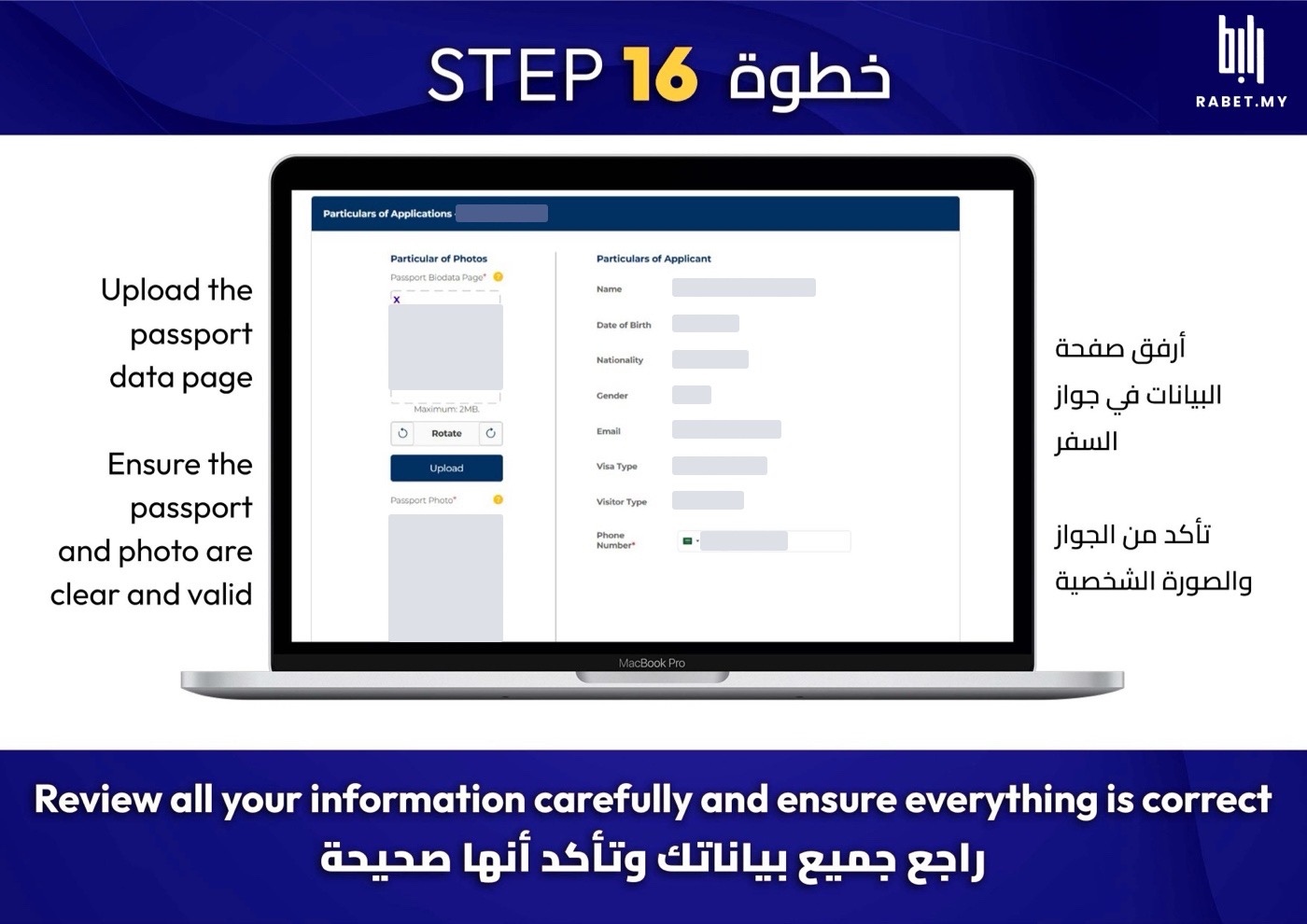
ارفع صفحة بيانات الجواز وصورتك الشخصية، وتأكد إنها واضحة، وراجع بياناتك كلها.Upload your passport data page and your photo, make sure both are clear, and review all your details.
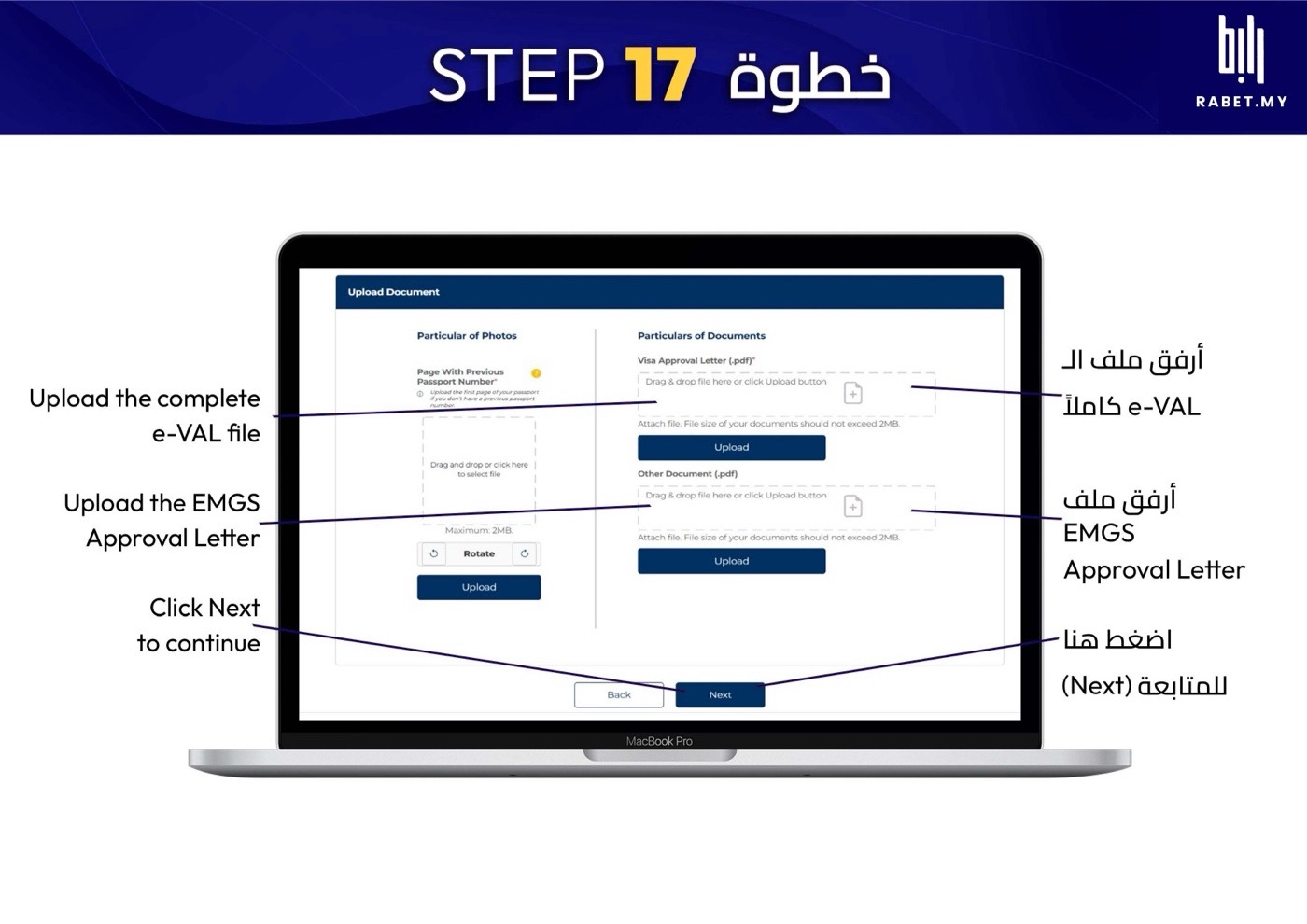
ارفع ملف الـe-VAL كامل وخطاب EMGS (كل ملف أقل من 2 ميقا)، واضغط Next.Upload the full e-VAL file and the EMGS letter (each under 2 MB), then tap Next.
ادفع وحمّل الفيزاPay and download your visa
المرحلة 5 من 5 · الخطوات 18 إلى 21Stage 5 of 5 · steps 18–21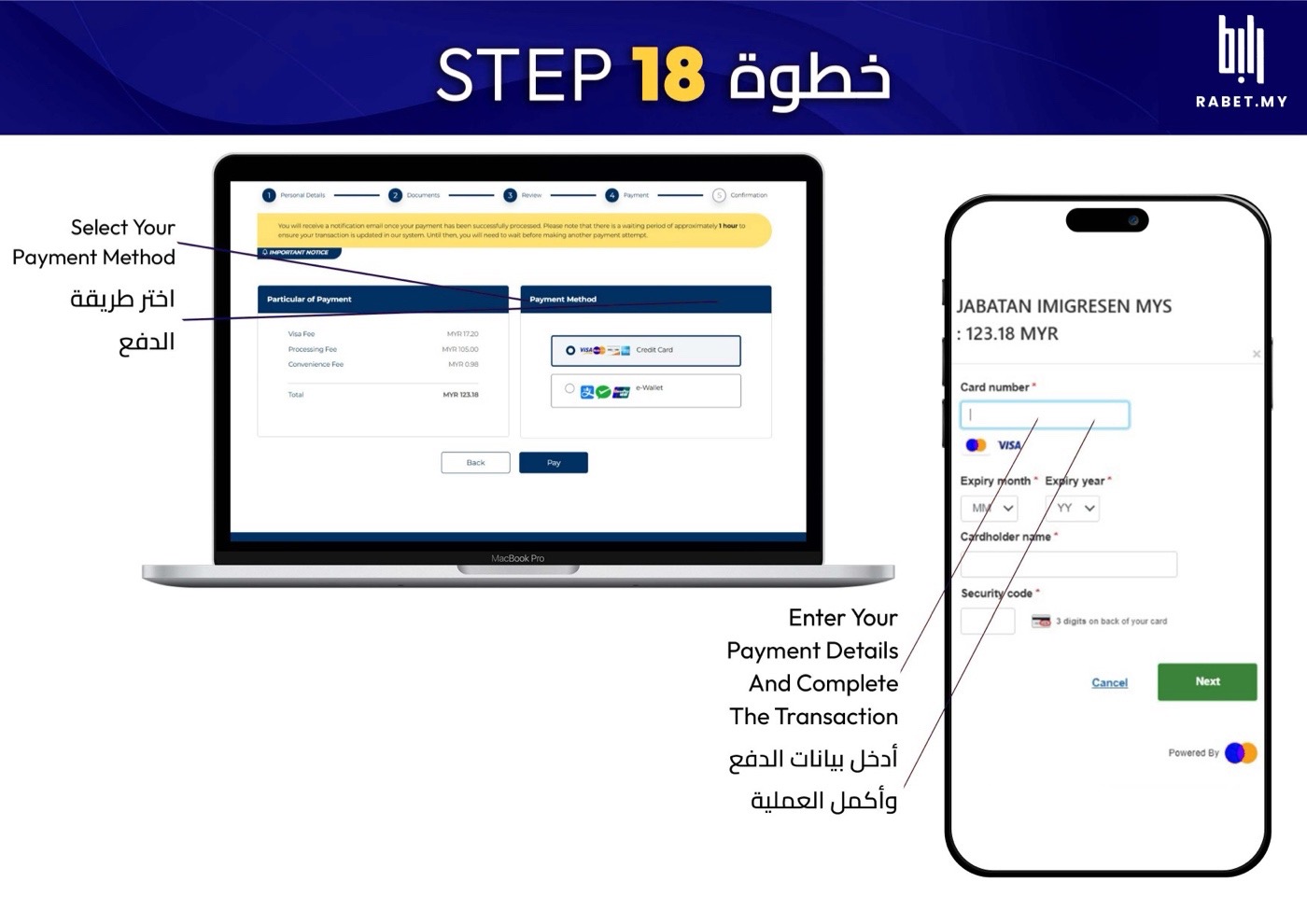
اختر طريقة الدفع وكمّل بيانات البطاقة. المبلغ حوالي 123 إلى 126 رينجت.Choose a payment method and enter your card details. It comes to about MYR 123–126.
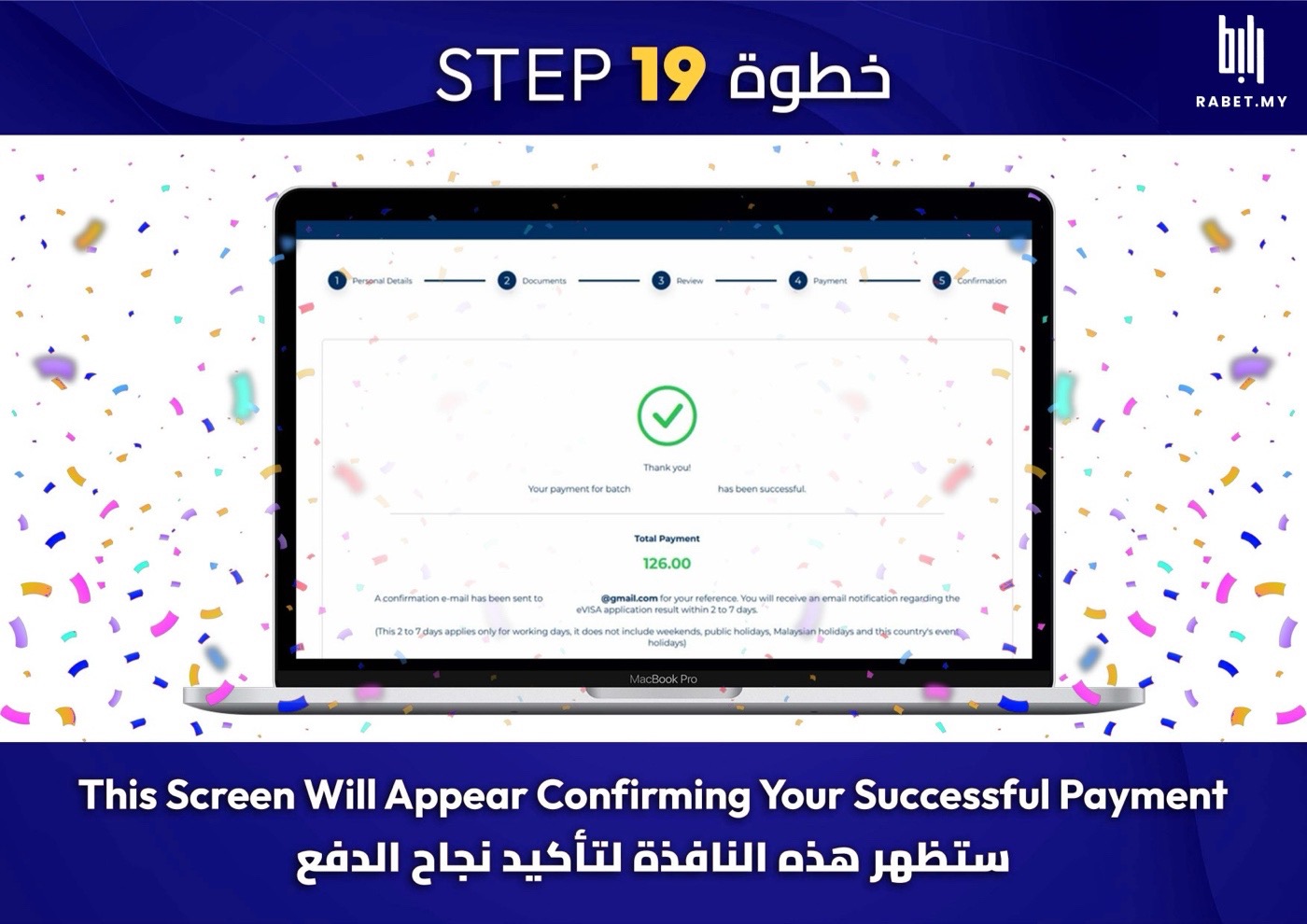
بتشوف صفحة تأكيد الدفع، والنتيجة توصلك على الإيميل خلال 2 إلى 7 أيام عمل.You’ll see a payment confirmation. The result arrives by email within 2–7 working days.
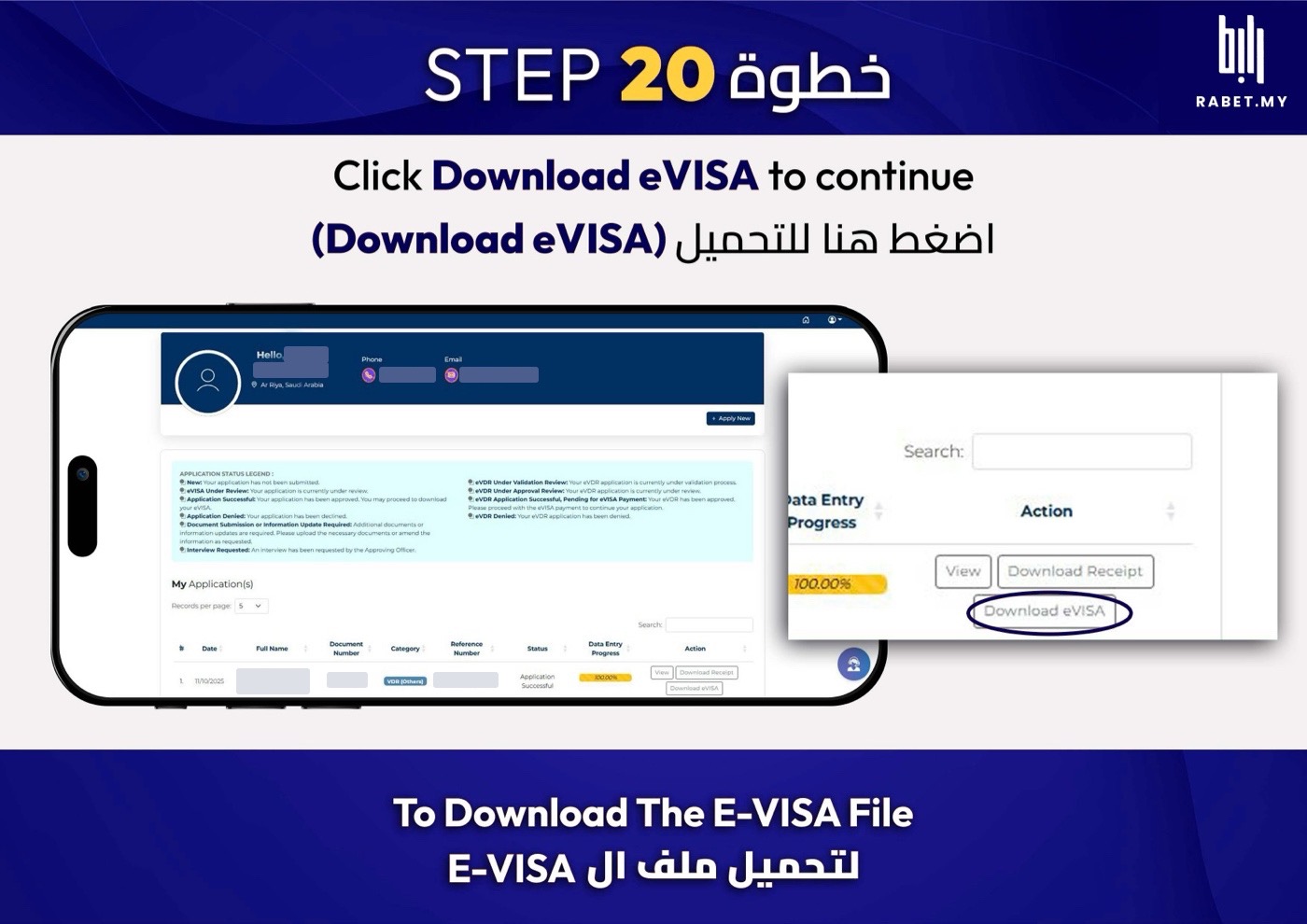
لما توصلك النتيجة، ادخل حسابك واضغط Download eVISA.When the result arrives, log in and tap Download eVISA.
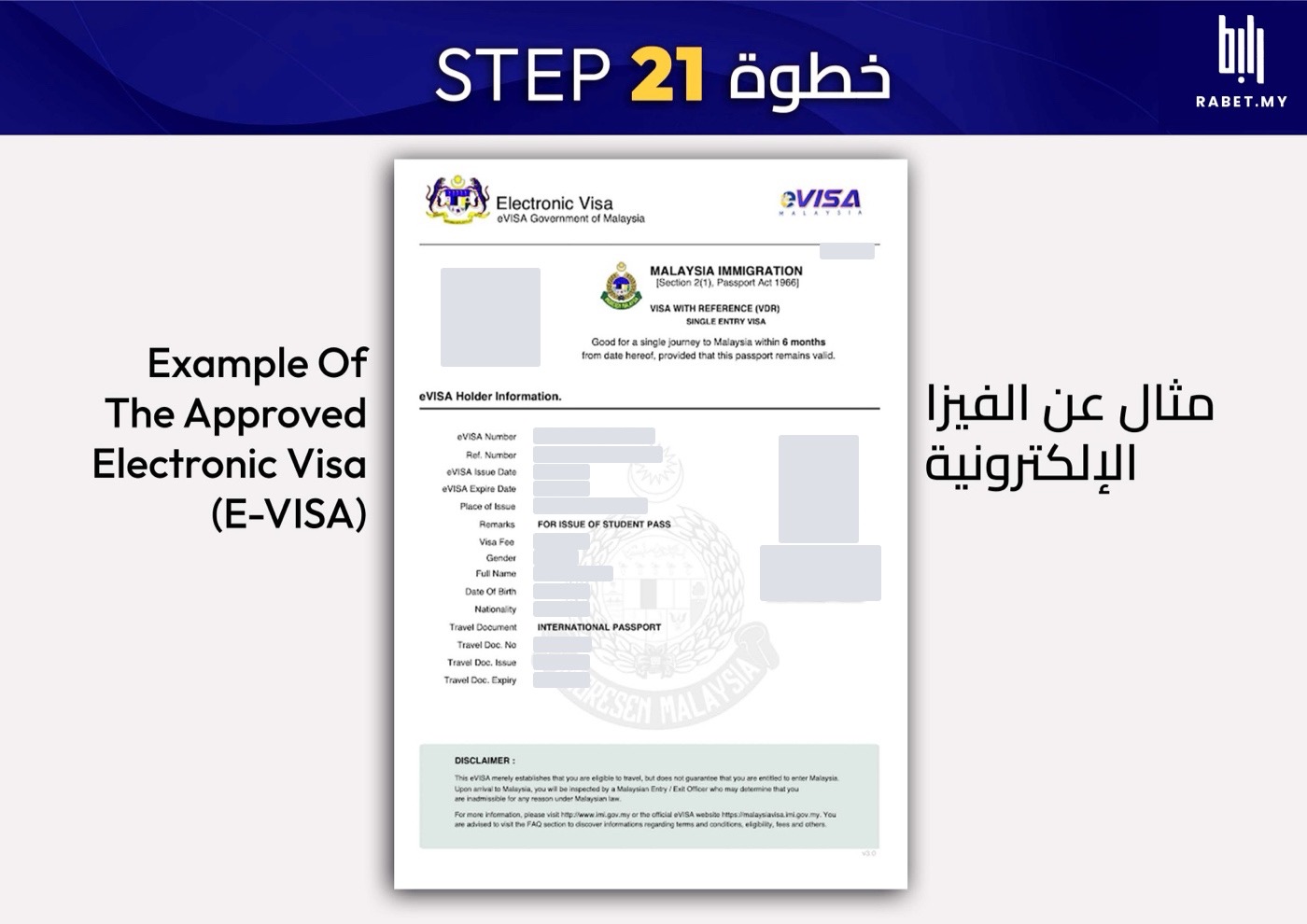
هذا شكل الفيزا الإلكترونية. اطبعها وخذها معك في السفر.This is what the eVISA looks like. Print it and take it with you when you travel.

رابط · للدراسة في ماليزياRabet · Study in Malaysia
من اختيار المعهد لين توصل ماليزيا، كل خطوة في تطبيق واحد.From choosing an institute to landing in Malaysia, every step in one app.
هذا الدليل للمساعدة، والمرجع هو موقع الهجرة الماليزية الرسمي.This guide is here to help; the official Malaysian Immigration site is the reference.
آخر تحديث: أكتوبر 2026Updated October 2026